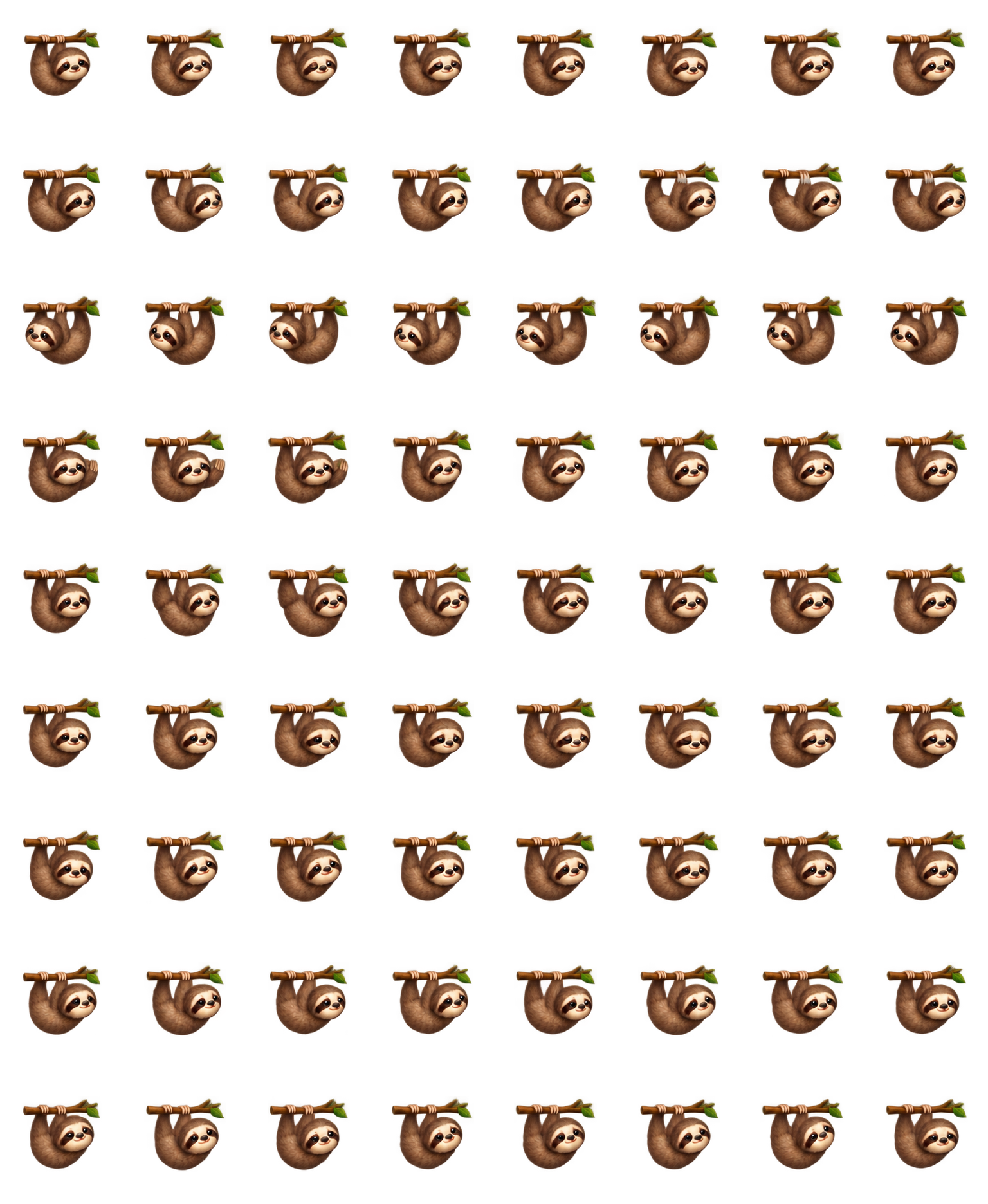

The branch stays part of the silhouette
All nine inspected rows retain the horizontal branch above the hanging body. Directional rows move the face toward opposite sides without turning the pet into a walking animal.
Codex pet package
Sloth hangs beneath a short brown branch with a small green leaf. A cream face and dark eye mask sit inside a rounded brown body. Choose it for a compact, gently moving companion; its status changes are much less obvious than its branch-and-body silhouette.
PetWidget + SpriteAnimator
Switch animation rows, tune scale, and test floating behavior before installing this Codex pet locally.
Loading image. You can edit the URL or reset to cancel.
Pet profile
Use these visible package traits to decide whether this pet fits your desktop before you install it.
All nine inspected rows retain the horizontal branch above the hanging body. Directional rows move the face toward opposite sides without turning the pet into a walking animal.
The body occupies a compact area of each cell. The waving and jumping rows keep the same hanging arrangement, so they feel closer to a sway than a broad greeting or a large airborne leap.
The cream face is the strongest bright area on a dark background. The branch and brown fur separate more clearly on a pale surface; the leaf and small facial changes are easy to miss at thumbnail size.
Animation review
These observations come from the original package spritesheet, not a generic species description.
Run-right puts the face toward the right side, and run-left mirrors that emphasis. The separate Running row returns to the right-facing hanging shape. Compare those silhouettes instead of expecting visible feet or a running stride.
The failure sequence changes the eyes and mouth but does not collapse onto the ground or drop the branch. Its cue is subtle beside pets that use tears and a large head-down pose.
Waiting and review preserve the same body height and branch, with small head and eye changes. If you need a clear at-a-glance signal for those two states, inspect the animation at your intended size before choosing this pet.
Compare before installing
Red Panda uses a striped tail and a much lower curled failure pose when you want stronger whole-body changes.
Shellpop Snail offers another compact companion, with a colorful shell and a more visible drooping failure pose.
Package visuals reviewed from the original spritesheet on . Reviewed by Codex Pets Team. How we review pets. These are visual observations, not an installation test or an artwork license.
State previews
Use the grid to check the nine standard action rows: idle, movement, waiting, failed, and review.
Need help?
Not sure how to use this pet in Codex? Copy this AI prompt and ask your assistant to add and enable this existing pet for you.
It installs and enables this pet only. It will not generate a new pet.
Download package
Download the zip package, or copy a community CLI or curl command that installs this Codex pet into $HOME/.codex/pets/faultier. Then enable it with /pet or Settings -> Appearance -> Pets.
npx @eyichan/codexpets add faultierpet.json
Save this file as pet.json inside the local package folder for this Codex pet.
{
  "id": "faultier",
  "displayName": "Sloth",
  "description": "A brown branch-hanging sloth Codex pet with a cream face, dark eye mask, gentle swings and subtle status changes.",
  "spritesheetPath": "spritesheet.webp"
}
Assets
Atlas
Use the preview controls above to check idle, movement, waiting, failed, and review rows before installing.
# After downloading faultier-codex-pet.zip
mkdir -p "$HOME/.codex/pets/faultier"
unzip -o "./faultier-codex-pet.zip" -d "$HOME/.codex/pets/faultier"

# In Codex
/pet

# Or manually
Settings -> Appearance -> Pets -> choose faultier
Download the package zip first, then run this command from the folder that contains the zip file. After installation, use /pet or open Settings, choose Appearance, then Pets. Use Refresh custom pets if the package does not appear immediately.
How to use
Scan the 9-state preview grid to confirm the spritesheet covers idle, movement, waving, failed, waiting, and review states.
Download the package zip, or save spritesheet.webp and pet.json into a folder named after this pet id.
Copy both files into ~/.codex/pets/<pet-id>/ so Codex can discover the custom pet package.
Use /pet inside Codex, or open Settings -> Appearance -> Pets and choose this installed pet. Refresh custom pets if it is not listed yet.