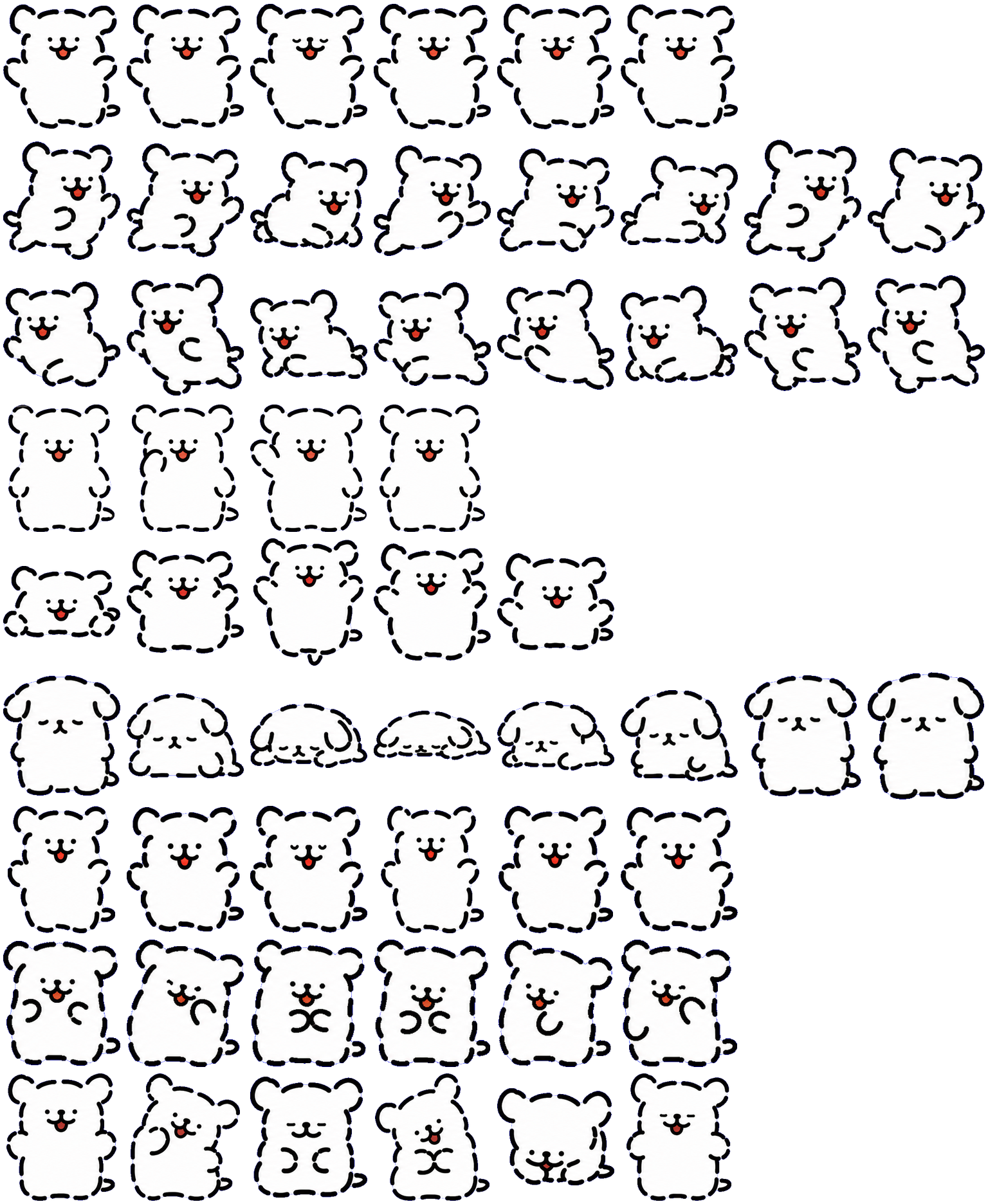

Large pose changes
Directional running stretches the body horizontally, and jumping alternates a flattened crouch with a tall airborne shape. The wave raises a short arm beside the head without adding an accessory.
Codex pet package
Maltese is a lively white Maltese Codex dog pet with a big-heart companion feel and animated previews.
PetWidget + SpriteAnimator
Switch animation rows, tune scale, and test floating behavior before installing this Codex pet locally.
Loading image. You can edit the URL or reset to cancel.
Before you choose
Maltese uses a white, rounded body with a thick dark outline, dot eyes and a small red tongue. Its limited palette makes the body shape the primary signal.
Directional running stretches the body horizontally, and jumping alternates a flattened crouch with a tall airborne shape. The wave raises a short arm beside the head without adding an accessory.
Failure progressively squashes the body toward the ground. Review tilts the head and brings the paws together or toward the face. These are useful distinctions when checking whether a small preview still communicates state.
The dark edge separates the white body on the inspected dark background. On a white background, the interior loses contrast while the outline remains; compare both before deciding on scale.
Compare with Daisy: Choose Daisy for a detailed bulldog face and pink accent; Maltese emphasizes a simple outline and exaggerated squashing.
Visual review by Codex Pets Team. Original atlas rows inspected on . How we review pets. These are visual observations, not an installation test or a license grant. Use the state previews below to check your preferred size.
State previews
Use the grid to check the nine standard action rows: idle, movement, waiting, failed, and review.
Need help?
Not sure how to use this pet in Codex? Copy this AI prompt and ask your assistant to add and enable this existing pet for you.
It installs and enables this pet only. It will not generate a new pet.
Download package
Download the zip package, or copy a community CLI or curl command that installs this Codex pet into $HOME/.codex/pets/maltese. Then enable it with /pet or Settings -> Appearance -> Pets.
npx @eyichan/codexpets add maltesepet.json
Save this file as pet.json inside the local package folder for this Codex pet.
{
  "id": "maltese",
  "displayName": "Maltese",
  "description": "Maltese is a lively white Maltese Codex dog pet with a big-heart companion feel and animated previews.",
  "spritesheetPath": "spritesheet.webp"
}
Assets
Atlas
Use the preview controls above to check idle, movement, waiting, failed, and review rows before installing.
# After downloading maltese-codex-pet.zip
mkdir -p "$HOME/.codex/pets/maltese"
unzip -o "./maltese-codex-pet.zip" -d "$HOME/.codex/pets/maltese"

# In Codex
/pet

# Or manually
Settings -> Appearance -> Pets -> choose maltese
Download the package zip first, then run this command from the folder that contains the zip file. After installation, use /pet or open Settings, choose Appearance, then Pets. Use Refresh custom pets if the package does not appear immediately.
How to use
Scan the 9-state preview grid to confirm the spritesheet covers idle, movement, waving, failed, waiting, and review states.
Download the package zip, or save spritesheet.webp and pet.json into a folder named after this pet id.
Copy both files into ~/.codex/pets/<pet-id>/ so Codex can discover the custom pet package.
Use /pet inside Codex, or open Settings -> Appearance -> Pets and choose this installed pet. Refresh custom pets if it is not listed yet.