Dot avatar prompt results

Real images, the prompts that produced them, and the changes we checked.

Two real generations, one improved brief

We generated these images with Codex’s built-in image tool on , using the English briefs shown below. No reference image was supplied. These are AI-generated images, separate from the live 3D preview and not a test of Dot’s profile setup.

Try the tested look in the maker
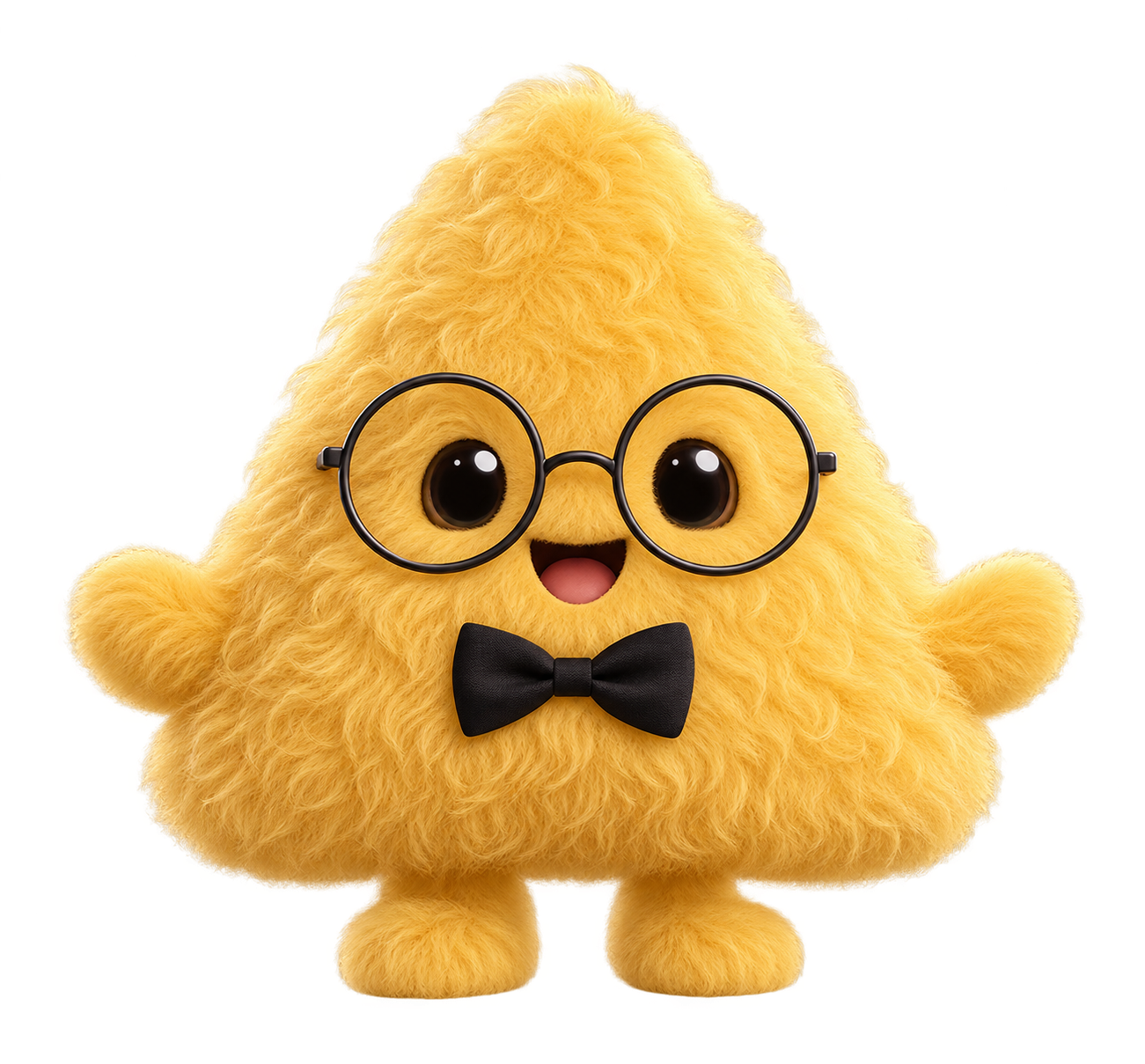
First generated golden furry triangle with glasses and bow tie, plus unrequested mouth, arms and feet

First generation: extra features

The color, triangle, curls, glasses and bow tie appeared, but the model added a mouth, arms and feet. The first brief did not explicitly exclude them.

Inspected: full character, glasses and bow tie, transparent background. Fine fur values are visual guidance; they cannot be verified as exact render parameters in an AI image.

Exact English prompt used
Create a custom visual character for my Dot using this brief. Keep it simple, rounded and playful in 3D, with soft studio lighting, the entire character visible, a transparent background, and no text, watermark or floor shadow.

Shape: Triangle.
Body color: #F2BF42.
Surface: Short plush (Fuzzy & soft).
Accessories: round glasses and a black bow tie.
Two expressive dark eyes, no lashes.
Fur: long fibers, about 20.0% of the body radius; density 1.00×; fine strands (thickness 35%); tousled (messiness 0.60); curl 344°; downward bend 60% of fiber length; brightness 1.00×; rim lighting 0.85×. Treat these as visual targets.

If I attach a PNG, use it as a visual reference. Show a preview for me to review first. If you support generating a Dot pet or configuring a character, use the available workflow and explain how I can use it in my profile.
Download English prompt
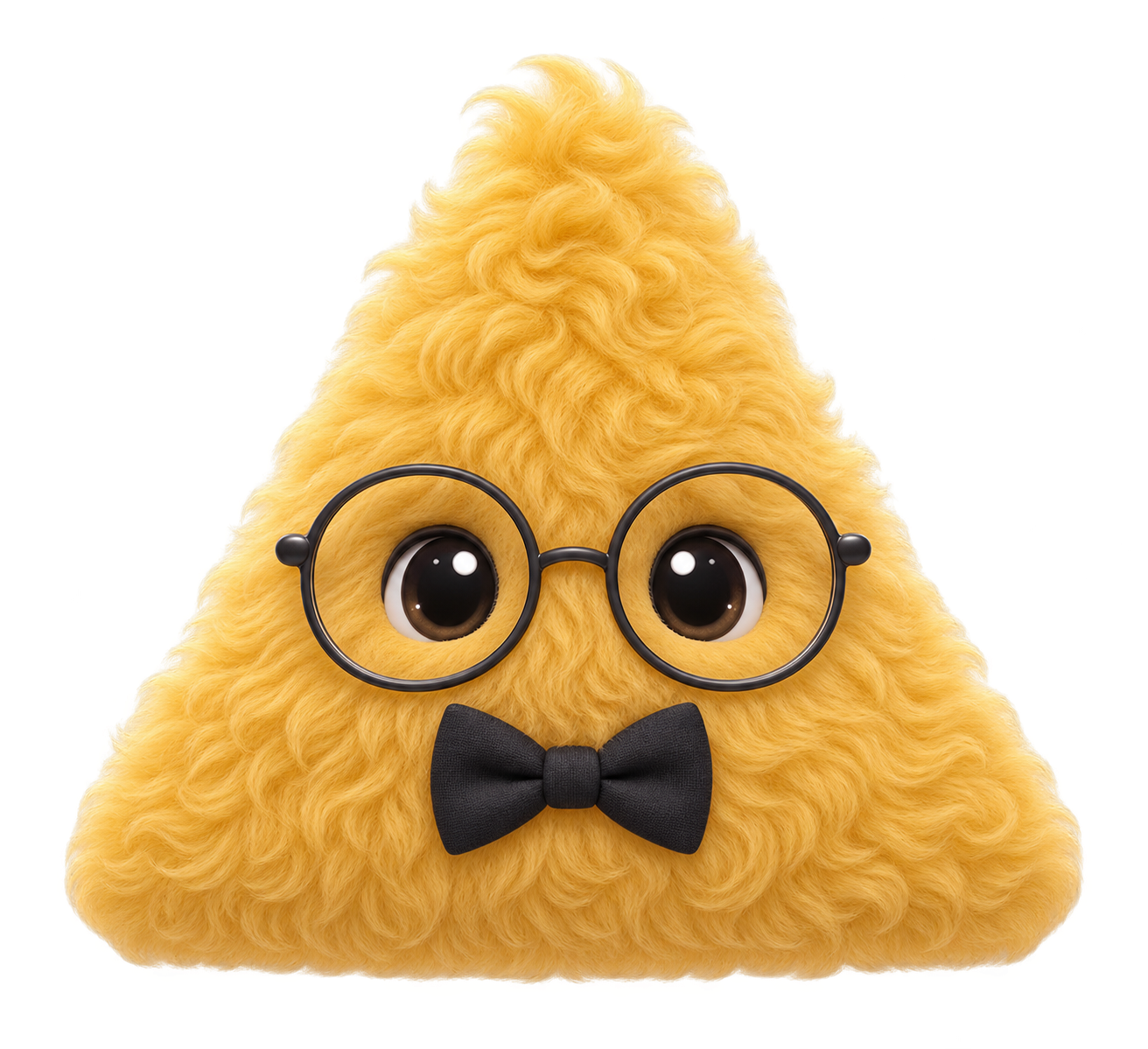
Refined generated golden curly triangle with round glasses and black bow tie, with no mouth or limbs

Refined prompt: closer to the brief

We specified only the selected body, eyes and accessories, excluded extra facial features and limbs, and replaced the conflicting short-plush description with custom plush. Those unwanted features are absent in this result.

Inspected: full character, glasses and bow tie, transparent background. Fine fur values are visual guidance; they cannot be verified as exact render parameters in an AI image.

Exact English prompt used
Create a custom visual character for my Dot using this brief. Keep it simple, rounded and playful in 3D, with soft studio lighting, the entire character visible, a transparent background, and no text, watermark or floor shadow. Keep only the specified body, eyes and accessories. Do not add a mouth, nose, blush, arms, legs or feet. Preserve ears, sprouts or octopus tentacles when part of the selected shape.

Shape: Triangle.
Body color: #F2BF42.
Surface: custom soft plush.
Accessories: round glasses and a black bow tie.
Two expressive dark eyes, no lashes.
Fur: long fibers, about 20.0% of the body radius; density 1.00×; fine strands (thickness 35%); tousled (messiness 0.60); curl 344°; downward bend 60% of fiber length; brightness 1.00×; rim lighting 0.85×. Treat these as visual targets.

If I attach a PNG, use it as a visual reference. Show a preview for me to review first. If you support generating a Dot pet or configuring a character, use the available workflow and explain how I can use it in my profile.
Download English prompt

How we tested

We selected the golden triangle, round glasses and black bow tie, then increased fiber length, curl and downward bend. We sent the editor’s English prompt to the Codex image tool without attaching the preview. After inspecting the first image, we added explicit exclusions and clarified the material description, then generated the second image.

Both original PNGs have an alpha channel and transparent background pixels. We checked the shape, color family, eyes, accessories and unexpected added parts. This small test shows that the prompt can produce the requested character, and that explicit constraints helped in this pair. It does not establish reliability across characters or exact numerical fur reproduction.

The maker itself builds 3D geometry in your browser. Copying its prompt lets you request a new image from your Dot or another image-capable assistant. A generated image can differ from the 3D preview. Review it before use, and attach the PNG when matching the preview matters.

Where the starting looks come from

OpenAI’s public Dots launch page showcases O, a quiet ring; Alfred, a golden triangle with glasses and a bow tie; Felipe, a blue character with a beret; Iggy, a pink heart with shades; and Todd, a lime-green frog with a bow tie. Our five presets are original interpretations of those public looks, alongside additional animal and fantasy options. This is an observed launch showcase, not a complete official editor catalog.

OpenAI’s Dot guide describes the agent and its visual customization. The official setup guide explains the profile pencil and says your Dot may generate a pet. These tests did not create an agent, change a profile or verify a pet installation.

Create your own character